
Tracking Your Spending: Spreadsheet vs. App vs. Paper Ledger

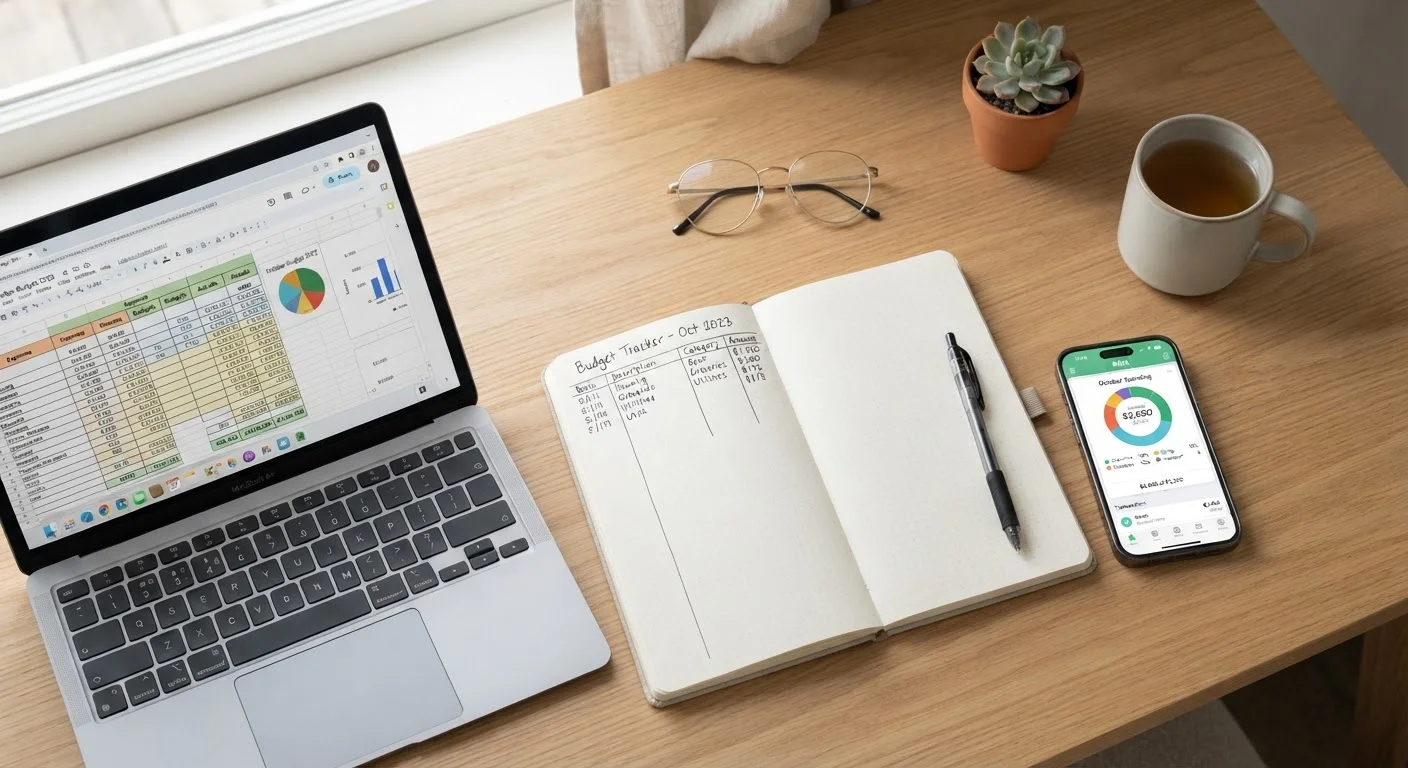
Photo: TotemBuzz.com | Your Lifestyle Companion editorial
Key Takeaways
- Spreadsheets offer flexibility and full control, but require manual data entry and some setup effort.
- Budgeting apps automate transaction imports and provide real-time alerts, though some charge subscription fees.
- Paper ledgers build strong money awareness through the act of handwriting, but lack search and calculation features.
- The most effective tracking method is the one you will actually use consistently every week.
- Beginners can start with any method and switch as their needs evolve — there is no single right answer.
Why Tracking Spending Is the Foundation of Any Budget
Before you can manage your money, you need to know where it goes. Most people significantly underestimate how much they spend in everyday categories like dining out, subscriptions, and convenience purchases. A consistent spending tracker — whatever form it takes — closes that gap between what you think you spend and what you actually spend.
If you are just starting out, see our step-by-step budget walkthrough for guidance on setting spending limits once your tracking is underway. You should also review common spending categories so you know what to record from day one.
Below, we compare three practical tracking approaches — digital spreadsheets, budgeting apps, and handwritten paper ledgers — across the criteria that matter most to beginners.
Comparing the Three Methods Side by Side
Each method has genuine strengths and real trade-offs. Understanding them helps you choose based on your lifestyle, not just what sounds most modern.
| Spreadsheet | Budgeting App | Paper Ledger | |
|---|---|---|---|
| Cost | Free to low cost | Free tier or paid subscription | Near zero (notebook only) |
| Data entry effort | Manual, every transaction | Largely automated | Manual, handwritten |
| Customization | Highly flexible | Limited to app categories | Fully flexible |
| Real-time alerts | None built-in | Yes, push notifications | None |
| Privacy | High — no third-party link | Lower — accounts linked | Highest — paper only |
| Learning curve | Moderate (basic formulas) | Low to moderate | Very low |
| Best for | Detail-oriented planners | Busy, tech-comfortable users | Mindfulness-focused beginners |
Keep in mind that these trade-offs interact with your habits. A powerful app you ignore beats no tool, but so does a simple notebook you check every evening.
Spreadsheets: Full Control, Some Setup Required
A spreadsheet — whether in Google Sheets (free) or Microsoft Excel — is essentially a blank grid you configure yourself. You create columns for date, category, amount, and notes, then enter each transaction manually. Formulas automatically total your spending by category and flag when you exceed a limit.
Strengths
- Completely customizable: Design categories that match your actual life, not a preset list.
- No subscription cost: Google Sheets is free with a Google account; many Excel templates are also free to download.
- Privacy: Your data stays on your own device or personal cloud account — you do not link bank credentials to a third party.
Limitations
- Every transaction must be entered manually, which takes discipline.
- There are no automatic alerts when you overspend a category.
- Setting up formulas requires a small learning curve for true beginners.
Start Simple, Then Refine Your Setup
Pair your spreadsheet with a monthly review habit. Our monthly budget reset checklist walks you through exactly what to examine each month.
Budgeting Apps: Automation at a Trade-Off
Budgeting apps connect to your bank and credit card accounts — with your permission — and automatically import and categorize transactions. Many send push notifications when you approach a spending limit and display visual charts of your habits.
Strengths
- Automation: Transactions populate without manual entry, reducing friction.
- Real-time feedback: Instant alerts can interrupt an overspending pattern before it compounds.
- Accessible anywhere: A smartphone app is always in your pocket at the point of purchase.
Limitations
- Many capable apps charge monthly or annual subscription fees.
- Linking financial accounts to a third-party platform carries a small but real privacy consideration — read each app's data policy before connecting accounts.
- Automatic categorization makes errors; a coffee shop may be miscategorized as a restaurant, requiring periodic correction.
Verify App-Imported Transactions Regularly
Your bank statement is a reliable free companion to any app. Learn how to read your bank statement as a budgeting tool to cross-check imported transactions for accuracy.
Paper Ledgers: Slow, Deliberate, and Surprisingly Effective
A paper ledger is simply a notebook — ruled or graph-paper — where you write down every purchase by hand. No software, no accounts, no subscriptions. Ruled notebooks, dedicated cash-book pads, or even a small pocket journal all work.
Strengths
- Zero cost and zero technology: A dollar-store notebook is all you need.
- Mindfulness benefit: Research in learning science suggests that writing by hand engages memory more deeply than typing. Many people report that physically writing a purchase makes them more conscious of spending decisions.
- No privacy risk: Financial data never leaves paper.
Limitations
- Totaling categories requires manual arithmetic or a calculator.
- There is no search function — finding a specific purchase means flipping through pages.
- Easy to fall behind; a few missed days can make records incomplete.
If you enjoy the tactile nature of physical money management, also explore the envelope budgeting method, which pairs naturally with a paper ledger approach.
This article is for general informational and educational purposes only and does not constitute personalized financial advice. Consult a qualified financial professional for guidance specific to your situation.
The content on this site is for informational purposes only and is not a substitute for professional advice. Always consult a qualified professional for guidance specific to your situation.