
Ways Technology Quietly Collects Data in the Background

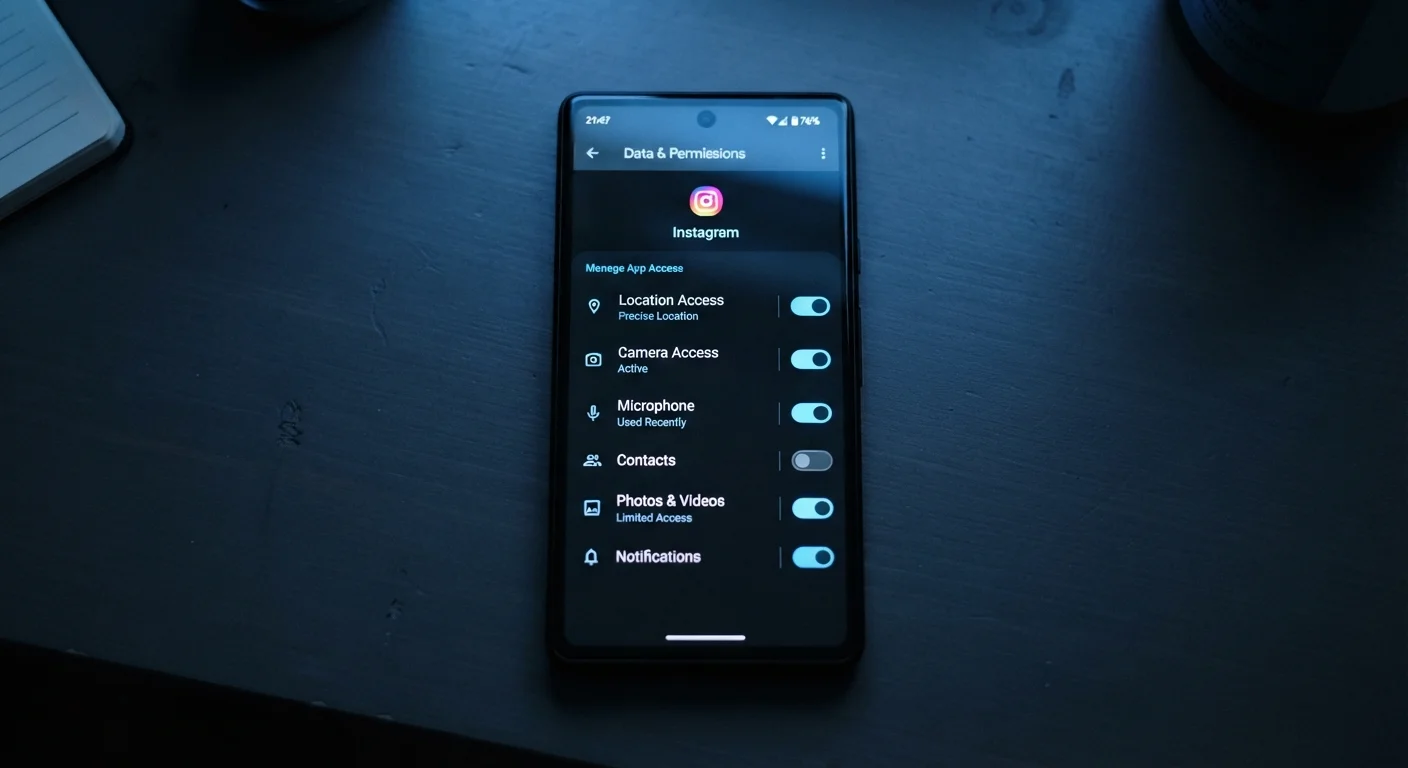
Photo: TotemBuzz.com | Your Lifestyle Companion editorial
Key Takeaways
- Apps, browsers, and devices collect data continuously, often without obvious prompts or notifications.
- Location tracking, usage patterns, and microphone access are among the most common forms of background data collection.
- Reviewing app permissions and privacy settings is one of the most effective ways to stay informed.
- Data collection is not inherently harmful, but understanding what's gathered helps you make informed choices.
- Most devices and operating systems offer built-in tools to limit or audit background data activity.
Data Collection Happens Whether You Notice It or Not
Every time you open an app, browse a website, or simply carry your phone in your pocket, technology is quietly recording information about what you do, where you are, and how you behave. For most people, this happens entirely in the background — no popups, no obvious alerts.
This isn't necessarily sinister. Much of this data powers features you rely on: personalized recommendations, autocorrect, faster load times. But it's worth knowing what is being collected and how, so you can decide what feels acceptable to you. The list below breaks down the most common ways background data collection works on everyday consumer devices and apps.
Privacy Policies Exist — But They're Hard to Read
Common Ways Technology Collects Data Behind the Scenes
Location tracking through GPS and network signals
Your phone's GPS chip can pinpoint your position with high accuracy, but location data is also gathered through nearby Wi-Fi networks and cell towers — even when GPS is turned off. Many apps request location access to function (maps, weather), but others — like shopping or social apps — may request it for advertising purposes. On most devices, you can set location permissions to "only while using the app" rather than granting constant background access.
Location data is gathered through GPS, Wi-Fi, and cell towers — even when GPS is off.
App usage and behavior logging
Apps routinely record how you interact with them: which screens you visit, how long you linger, what you tap, and when you close the app. This telemetry (data sent back to the app's developers) is used to improve design and, in many cases, to build a profile of your interests. This kind of logging is usually disclosed somewhere in a privacy policy, though those documents are rarely easy reading.
Telemetry data tracks your in-app behavior and is used to build interest profiles over time.
Browser cookies and tracking pixels
Websites place small files called cookies on your device to remember your preferences and login status — that's the helpful version. A separate category, known as third-party tracking cookies, follows you across different websites and builds a picture of your browsing habits. Tracking pixels — tiny invisible images embedded in emails or web pages — can record when you open a message or load a page. Modern browsers offer settings to block or limit both.
Third-party cookies and tracking pixels follow your activity across websites and emails silently.
Microphone and camera access
Many apps request microphone or camera permissions to enable features like voice search or video calls. However, once granted, those permissions may remain active in the background. Operating systems on both iOS and Android now show visual indicators (a colored dot or icon) when the microphone or camera is in use, and privacy dashboards log recent access. If an app has microphone access and you're unsure why, it's worth revoking it and checking whether the app still functions as needed.
Microphone permissions can remain active in the background long after you've stopped using a feature.
Device identifiers and fingerprinting
Every device has unique identifiers — strings of numbers used to distinguish it from others on a network. Advertisers and analytics companies use these, along with a technique called browser fingerprinting, to recognize your device even without cookies. Fingerprinting works by combining details like your screen resolution, installed fonts, browser version, and time zone into a profile that is often unique enough to identify your device reliably across sessions.
Browser fingerprinting can identify your device reliably without relying on cookies at all.
Smart device voice assistants and always-on listeners
Smart speakers and voice-enabled devices are designed to listen for a wake word — "Hey Siri," "Alexa," or similar — at all times. This requires the device to process ambient audio continuously. Most manufacturers say only the audio following the wake word is sent to their servers, but independent researchers have documented instances of accidental activations. You can review and delete stored voice recordings through most platform settings, and many devices include a physical mute switch for the microphone.
Smart speakers process ambient audio continuously, though most only transmit audio after the wake word.
Account activity tied to connected services
When you sign in to an app using "Sign in with Google" or "Sign in with Apple," data can flow between that app and the platform you used to authenticate. Similarly, services you subscribe to — streaming platforms, productivity apps — log your activity, preferences, and usage patterns as part of how they personalize their product. Our article on how streaming and app subscriptions actually work explains what you agree to when you sign up. Software updates can also adjust what data an app collects, which is one reason it's worth understanding what software updates actually change.
Signing in with a platform account can allow data to flow between the app and that platform.
Check Your App Permissions Regularly
Taking Stock of Your Own Devices
Understanding background data collection isn't about alarm — it's about being an informed user. Most smartphones and computers now include dedicated privacy dashboards where you can see which apps have accessed your location, microphone, or camera in recent days. Spending five minutes in those menus can be genuinely eye-opening.
For broader habits that keep your devices secure and running well, see our everyday device maintenance guide. And if you're curious about how the wireless signals your devices use relate to data activity, our article on Wi-Fi, Bluetooth, and mobile data explains each one in plain language. Staying informed is a skill — and it starts with knowing where to look.
The content on this site is for informational purposes only and is not a substitute for professional advice. Always consult a qualified professional for guidance specific to your situation.